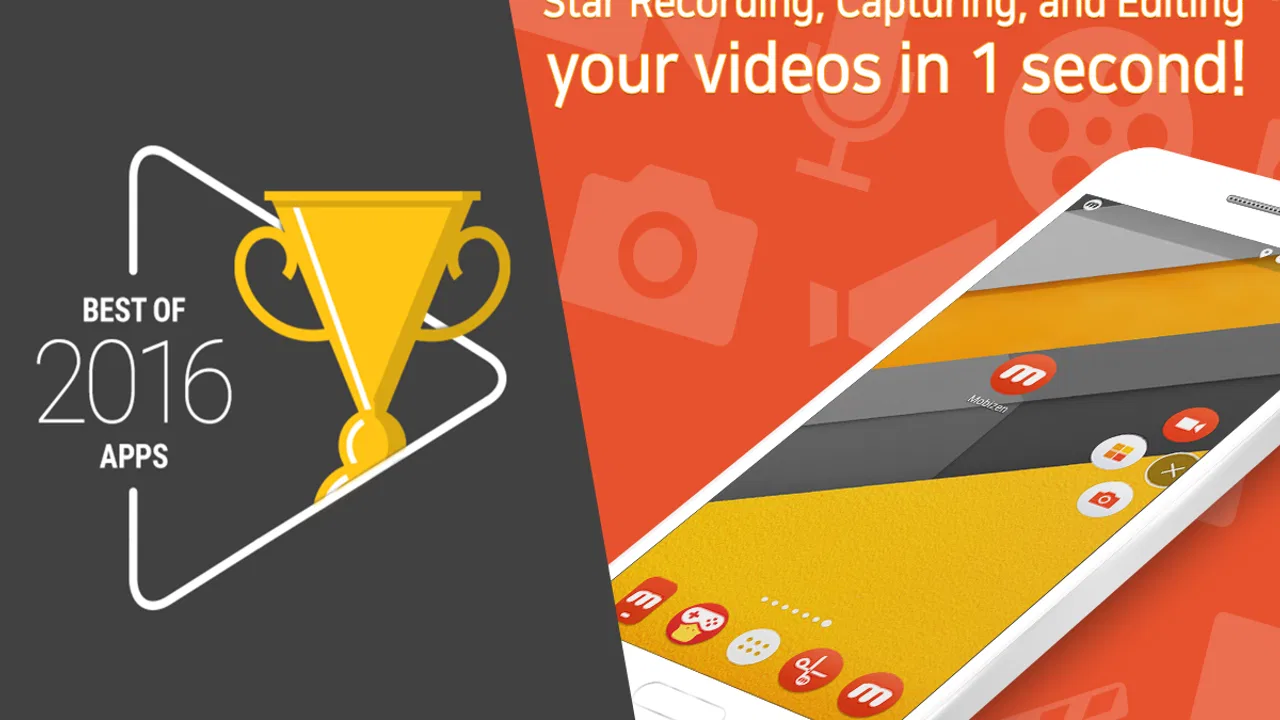
Mobizen Recorder for Samsung
- 3.8
- Rating
- 10.00M
- Installs
- Free
- Price

 Analysis by App-foxy
I usually judge a screen recorder by what happens after I tap “start”: how clearly it explains its choices, how much control it leaves me, and whether the editing tools are useful beyond a quick demonstration. Mobizen Recorder for Samsung is built around that practical job. It is a free app from MOBIZEN in the video players and editors category, combining screen capture, GIF creation, drawing, and basic editing in one place. That combination makes it appealing for everyday Android tasks, but it also means the experience deserves a closer look than a simple “record and share” recommendation.
The app has been available since June 24, 2015, and its current version is 3.10.0.32. It supports Android 4.4 and later, which gives it a broad compatibility range for people using older Samsung phones as well as newer devices. Its Everyone age rating also makes the intended audience wide. I would still treat that rating as a statement about general content suitability, not as a promise that every recording situation is automatically private or risk-free.
What using Mobizen Recorder feels like on a Samsung phone
The central appeal is convenience. Instead of moving between a recorder, a GIF utility, a drawing tool, and a separate editor, I can approach those jobs from one app. That matters when I need to explain a phone setting, capture a short app demonstration, prepare a visual reply, or make a quick clip without opening a full desktop editor.
You May Also Like

 Blood Strike: 2.5 Anniversary
Blood Strike’s Loadouts Turn Every Drop Into a Tactical Gamble
A close look at Blood Strike’s custom loadouts: how fast access to signature weapons reshapes its battle royale rhythm, rewards preparation, and narrows the gap between fights.

 Pandora - Music & Podcasts
Pandora’s Music Is Easy to Start, but Harder to Recover
Pandora’s strength is its low-effort path from a seed to a station. Its weak spot is how much confidence it asks you to place in connection, setup, and quiet recovery.

 8 Ball Pool
 Is Built on Rivalries, Rematches, and Routine
A close look at the rivalries, rematches, shared routines, and unanswered safety questions that turn a quick pool match into a persistent mobile community.

 Samsung Music
’s Quiet Strength Is Playing What You Already Own
Its reach comes less from spectacle than from dependable access to a personal library. That simplicity is both the app’s strongest retention engine and its ceiling.

 AccuWeather: Weather Radar
AccuWeather Review: A Quick, Clear Forecast for Everyday Decisions
For everyday plans, the best forecast is the one you can understand quickly. AccuWeather makes rain timing, radar, and local conditions easy to act on, with a few trade-offs.

 Hill Climb Racing
Why Hill Climb Racing Still Turns Crashes Into One More Run
A tiny car, a bumpy hill and one more upgrade: Hill Climb Racing keeps resurfacing because its simple chaos makes every near-miss feel personal.
More From Our News Desk



For a first-time user, the most sensible way to approach it is to begin with a short test recording. I would record a few seconds of the exact screen activity I want to show, stop, and inspect the result before committing to a longer session. This catches practical problems early, such as an unwanted screen transition, a notification appearing at the wrong moment, or a drawing gesture that makes the explanation harder to follow.
The Samsung focus is useful because screen recording is particularly sensitive to the way Android handles floating controls, notifications, orientation changes, and system prompts. A recorder may work perfectly for a static tutorial but feel less comfortable during a game or a fast-moving app. Mobizen’s all-in-one design is strongest when the recording itself is only one part of a small workflow rather than the entire production process.
I also like the idea of treating the editor as a cleanup stage, not as a replacement for planning. A short recording made with a clear beginning and ending is easier to trim and share than a long capture filled with pauses. The drawing option can help point at a button or highlight a detail, but it works best when used sparingly. Covering the screen with marks may draw attention away from the feature being explained.
Useful workflows beyond simple screen capture
One practical workflow is making a support clip for a family member. I can open the relevant Samsung setting, record the route slowly, use a brief visual mark to identify the correct control, and trim the dead time at the start and end. The result is more useful than a written message saying “go into settings and look for the option,” especially for someone who does not use the phone often.
A second workflow is turning a short sequence into a GIF. This is better suited to a compact visual explanation than to a long tutorial. For example, if I want to show where a control is located or how a small gesture works, a GIF can communicate the motion quickly. The trade-off is that GIFs are not the right format for every recording: they can be less suitable for detailed demonstrations, spoken explanations, or anything that needs extended context.
A third workflow is recording a draft before editing it into a focused clip. Rather than trying to make the first take perfect, I can capture the action, review it, remove hesitation, and add only the visual emphasis that improves comprehension. This approach makes the app more useful for informal how-to content than for polished productions that require advanced audio mixing, layered timelines, or detailed color work.
There is also a useful distinction between recording for yourself and recording for other people. A private reference clip can tolerate rough edges, while a clip shared with friends or posted publicly should be checked for personal messages, account names, incoming alerts, and unrelated open pages. The convenience of recording the whole screen means the responsibility for reviewing the frame remains with me.
Trust begins with visible choices, not just popularity
Mobizen Recorder has a sizable audience, with over ten million installs and an average rating of 3.8 from around one million ratings. Those figures tell me that the app is established enough to have broad real-world use, but they do not answer every trust question. Popularity can indicate that an app is familiar; it cannot replace my own check of the prompts and choices shown on the phone.
That is why I would pay attention during setup and whenever a recording begins. I want to know which Android permission or system confirmation is being requested, why it is needed for the action I selected, and whether the wording is understandable. I would not approve a request automatically just because the app is well known. If a prompt is unclear, I would pause and decide whether that particular feature is worth granting access for.
The same principle applies to account-related screens and optional services. If the app presents a sign-in choice, I would look for whether it is necessary for the recording task or simply connected to an additional service. I prefer to keep the workflow as local and limited as possible when I am only making a short personal clip. Clear separation between essential recording controls and optional extras makes an app easier to trust.
In my experience, trust is also affected by how easy it is to stop. A recorder should leave me confident that the capture has ended before I return to other apps. I would use the visible stop control deliberately, then check the saved result and the app’s media access choices rather than assuming that closing a window has handled everything. That small habit reduces the chance of leaving an unintended session running.
Data-sensitive moments deserve extra attention
Screen recording can expose more than the content I intended to capture. A message preview, email subject, two-factor authentication code, contact name, payment screen, or private conversation can appear in a notification or pop-up. This is not unique to Mobizen, but the risk is easy to overlook because the recording begins with a single action.
Before I record, I would clear the recent screen, close unrelated apps, and enable the phone’s notification controls that suit the situation. I would also avoid opening password managers, banking pages, private chats, or account recovery screens during a recording unless the purpose genuinely requires it. If sensitive information appears, I would delete the clip rather than trusting a later edit to remove every frame perfectly.
Games create a different kind of privacy problem. A recording may include a player name, chat message, voice communication, or purchase prompt. If I am capturing gameplay to share, I would review both the beginning and the ending carefully, because accidental exposure often happens while launching or leaving the game rather than during the main action.
GIF creation deserves the same caution. The short format can make sharing feel harmless, but a looping image may still reveal a private profile, a conversation fragment, or an account identifier. I would crop or trim with the intended audience in mind, and I would not assume that a shorter file is automatically a safer file.
Editing and drawing can help conceal or direct attention away from details, but I would treat those tools as presentation aids rather than security tools. A mark placed over sensitive text may not be reliable if the original recording remains available elsewhere. For genuinely confidential material, the safer choice is not to record it in the first place.
How much control does the user really have?
The strongest form of user control is being able to choose when to record, what to keep, and what to discard. Mobizen’s value is highest when I use it intentionally: prepare the screen, make a short capture, inspect the result, and remove anything unnecessary. That workflow gives me more agency than recording continuously and sorting through a large collection later.
I would also keep the app’s role narrow. If I only need a quick screen clip, I would not add extra steps or services unless they solve a clear problem. If I need a polished video with complex editing, I would move the file to a dedicated editor rather than forcing this app to handle a job outside its comfortable range. Choosing the right tool is part of maintaining control over the final result.
The free price makes it easy to try without an upfront purchase, but the app includes in-app purchases ranging from $0.99 to $43.99 per item. I would therefore read any purchase screen carefully and distinguish between the basic recording task and optional paid choices. A free download is not the same thing as every capability being free, so I would avoid tapping through a prompt without checking what it changes.
I would also review the phone’s app settings periodically. If I stop using the recorder, removing permissions that are no longer needed is a sensible housekeeping step. If I continue using it, I would still revisit those controls after an Android update or an app update, especially if the workflow changes. This is a general Android habit, but it is particularly relevant to an app that can capture whatever appears on the display.
For children or shared family devices, the Everyone rating may make the app seem straightforward, but I would still explain the difference between recording a game and recording another person’s messages or image. The age label does not remove the need for consent and common sense. On a shared phone, I would also make sure the person using the app understands where recordings are saved and who may later see them.
Where it beats the usual alternatives
Compared with relying only on Samsung’s built-in screen recording tools, Mobizen is attractive when I want recording plus quick creative follow-up in one app. The built-in option may be enough for a one-off capture, but Mobizen’s combination of GIF creation, drawing, and editing gives me a more complete path from action to shareable result.
Compared with a dedicated video editor, it is faster for small jobs. I would not open a full editing suite just to remove a few seconds or point at a button. Mobizen is easier to justify when speed and simplicity matter more than a deep timeline, elaborate transitions, or advanced sound work.
Compared with a GIF-only utility, it offers more flexibility because the starting point is screen recording rather than only image conversion. I can decide after capturing whether the result should stay as a video, become a short looping visual, or receive a simple annotation. That flexibility is convenient, although it can also make the app feel busier than a single-purpose tool.
The limitations become clearer in professional work. If I need careful control over multiple audio tracks, precise layers, extensive captions, or a repeatable production pipeline, I would choose a more specialized editor. Mobizen is a practical Android utility, not the tool I would build a demanding studio workflow around.
Who should use it, and who should skip it?
I would recommend it to Samsung users who regularly explain phone tasks, capture short app demonstrations, make quick gameplay clips, or turn small screen actions into GIFs. It is also a good fit for people who dislike moving files between several simple utilities. The all-in-one approach saves time when the goal is a useful result rather than a highly polished production.
I would be more cautious about recommending it to someone who records confidential work, handles sensitive customer information, or needs strict production controls. That person should first examine every permission and system prompt, establish a careful recording routine, and consider whether a more specialized or organization-approved tool is appropriate.
I would also suggest skipping it if the only requirement is an occasional basic screenshot or screen clip and the Samsung phone already handles that comfortably. Installing another recorder adds another app to maintain, and the extra editing and GIF features have no value if they will never be used.
My cautious verdict after using its full workflow
The best reason to choose Mobizen Recorder is controlled convenience. It brings screen recording, short-form visual creation, drawing, and editing into one Android-focused workflow, which is genuinely useful for tutorials, support clips, and quick sharing. I appreciate that it can shorten the distance between capturing an action and making that action understandable to someone else.
My recommendation comes with a clear condition: treat every recording as potentially sensitive until I have reviewed it. I would prepare the screen, watch for notifications, confirm the session has stopped, inspect the saved file, and keep optional purchases and account choices separate from the basic task. Those habits matter more than the app’s popularity or its simple store summary.
At no cost to download, with support for Android 4.4 and later, it is easy to test on a compatible Samsung device. The broad Everyone rating makes it approachable, while the large install base shows that it is not an obscure experiment. Still, the 3.8 average suggests a mixed overall experience rather than an automatic recommendation for everyone.
My final view is positive for short, practical recordings and lightweight editing. I would choose it over a heavier editor when I need speed, and over a bare recorder when I want a GIF or visual annotation immediately afterward. I would choose something else for confidential material, complex post-production, or a workflow where detailed privacy and project controls are more important than convenience. Used with that distinction in mind, Mobizen Recorder for Samsung is a useful everyday tool rather than a solution I would apply to every recording job.
FAQs for Mobizen Recorder for Samsung
01What is Mobizen Recorder for Samsung used for?
Mobizen Recorder for Samsung is a screen-recording tool designed for compatible Samsung phones and tablets. It lets you capture gameplay, app demonstrations, video calls, tutorials, and other on-screen activity. Depending on the device and Android version, you can usually record internal audio, microphone sound, or both, while adjusting video quality, orientation, and recording controls.
02Is Mobizen Recorder for Samsung free to download and use?
The application can generally be downloaded and used without an upfront purchase, but some features may depend on the version available in your region. Free recordings may include limitations such as advertising, a Mobizen watermark, or restricted access to advanced settings. Check the Google Play listing and the in-app purchase information before recording important content.
03Does Mobizen Recorder for Samsung record internal audio?
Audio support depends on the Samsung model, Android version, application permissions, and the type of content being recorded. On compatible devices, Mobizen may capture internal game or media audio, microphone input, or a combination of both. Some protected apps, calls, streaming services, and copyrighted content can block audio or screen capture entirely.
04Can Mobizen Recorder for Samsung record gameplay without lag?
Mobizen can record gameplay effectively on many Samsung devices, but performance depends on the phone’s processor, available storage, memory, game graphics, and selected recording quality. Higher resolutions and frame rates require more resources and may cause heating, battery drain, or occasional frame drops. Testing different quality settings is recommended before making a long recording.
05Is Mobizen Recorder for Samsung safe and what permissions does it require?
When installed from the official Google Play Store, Mobizen Recorder for Samsung is generally intended to be a legitimate screen-recording utility. It requires permissions related to screen capture, audio, storage or media access, and sometimes notifications or display-over-other-apps controls. Review each permission carefully, keep the app updated, and avoid downloading modified APK files from unofficial websites.
Pros
- Optimized for Samsung devices with smooth
- reliable screen capture.
- Supports internal audio recording on compatible Android versions.
- Facecam overlay helps create tutorials
- reactions
- and gaming videos.
- Simple floating controls make recording easy to start and stop.
- Offers editing tools for trimming and adding background music.
Cons
- Some features and exports may require a premium subscription.
- Watermarks can appear on videos when using the free version.
- High-resolution recording can consume significant storage space.
- Performance may drop during demanding games or on older Samsung phones.
- Permissions for recording audio and displaying overlays may concern some users.

Mobizen Recorder for Samsung
Gallery